

The $1,800 Question
Samsung has officially entered the chat. With the announcement of the Galaxy XR, the Android ecosystem finally has a heavyweight contender to challenge the Apple Vision Pro—and it’s arriving with a price tag that changes everything.
At $1,800, the Galaxy XR lands at roughly half the cost of Apple’s headset. For that price, you aren't getting a "lite" version of XR; you are getting a powerhouse device built on the new Android XR operating system, designed in partnership with Google and Qualcomm. It promises deep ecosystem compatibility, hand/eye tracking that rivals the industry leaders, and the integration of Google Gemini AI—$1,800 gets you Micro OLED glory and Gemini AI… but only ~2 hours per charge, so those 120 minutes better be comfortable and crystal-clear.
For Android users, this is the moment you’ve been waiting for. But before you hit the pre-order button, there is a physical reality we need to address. This headset is a marvel of engineering, but like every high-end XR device, it has an Achilles' heel: it wasn't built for your eyeglasses.
If you wear prescription glasses, you have a decision to make before you even open the box. Do you jam your frames inside and hope for the best, or do you set the device up the way it was intended to be used? To answer that, we have to look at the screen technology itself.
The Visuals: 27 Million Pixels (And How to Waste Them)
The headline feature of the Galaxy XR isn't the battery or the weight—it’s the glass. Samsung has equipped this headset with dual 4K micro OLED displays, packing a staggering 27 million total pixels (3,552 × 3,840 per eye).
To put that in perspective:
- Apple Vision Pro: ~23 million pixels
- Samsung Galaxy XR: ~27 million pixels
Samsung has actually surpassed the visual fidelity of the market leader. This pixel density is critical. It’s the difference between "looking at a screen" and "feeling present." It makes text on virtual monitors readable without eye strain and turns 4K movie playback into a theater-quality experience.
However, this visual fidelity is fragile.
The Galaxy XR offers a 109° horizontal Field of View (FOV). To achieve that immersion, your eyes need to be positioned at the exact "eye relief" distance the engineers designed.
If you wear glasses inside the headset, three things happen that degrade this expensive screen:
-
The Distance Gap: Glasses frames physically push the headset away from your face. Even a few millimeters of extra distance acts like looking through a keyhole—you lose the edges of the screen, significantly reducing that 109° FOV. You are literally paying for pixels you can't see.
-
Glare and Reflection: The Galaxy XR uses sophisticated pancake optics. Adding a layer of prescription glass in between creates refraction and glare, washing out the deep blacks of the micro OLED panels.
-
The "Sweet Spot" Drift: High-end VR lenses have a specific optical center. Glasses often slide down the nose during use, pushing your pupils out of that sweet spot and making the image look blurry, regardless of the screen resolution.
Yes, some people with mild prescriptions (±2.00 or less) get away with glasses just fine. But if your Rx is stronger than ±4.00 or you care about pixel-perfect clarity and flawless Gemini eye-tracking, you’re leaving performance on the table.
Buying a Galaxy XR and wearing glasses inside it is like buying a Ferrari and putting flat tires on it. The engine is still powerful, but you’ll never feel the performance on the road.
The Fix: Reloptix Magnetic Prescription Inserts
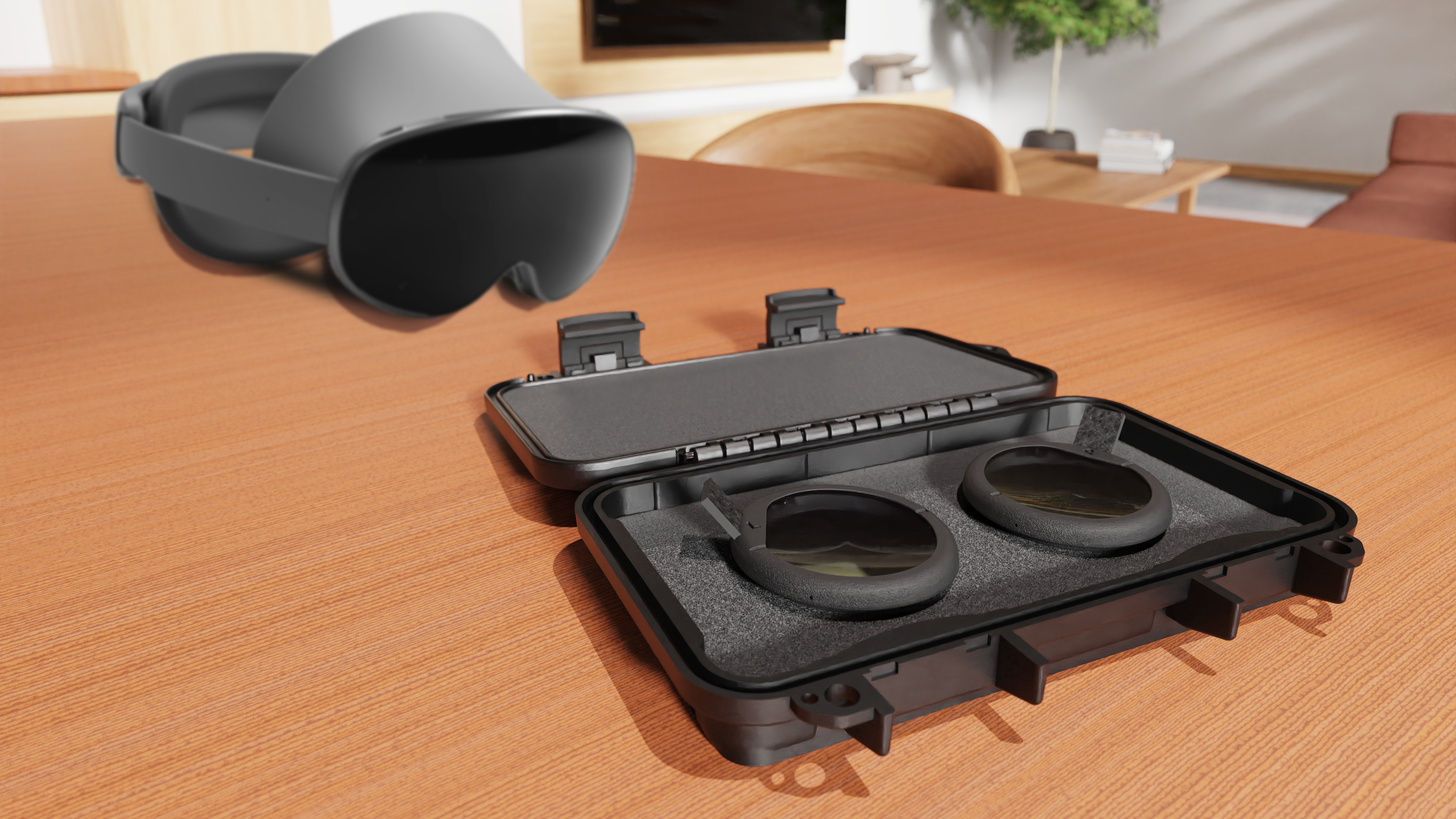
Reloptix makes custom magnetic lenses that snap directly onto the Galaxy XR’s optics in under 3 seconds. Your prescription, zero compromise. Designed specifically for the Galaxy XR (and compatible with Quest, Valve, and more), they eliminate glasses pressure, headaches, and smudges for unrestricted sessions.
Why they’re non-negotiable:
-
Eyes sit exactly where Samsung’s engineers intended → full FOV restored, no more "keyhole" vision
-
Hand and eye tracking work perfectly → Gemini actually understands your gaze and surroundings
-
Anti-glare + oleophobic coatings → sharper and cleaner than your regular glasses, with no refraction washout
-
Acts as a permanent lens protector → no $800 repair bills from frame scratches
-
Zero Friction: They stay in the headset. No adjusting frames every time you put it on. Swap them out in seconds when friends or family try the headset—shared-headset friendly.
Prescription range (basically everyone):
-
Standard: Up to ±10.00 sphere, ±4.00 cylinder → auto-matched, high-index for everyday clarity—no extras
-
Special order: Up to -13.75 / +6.75 sphere, ±5.75 cylinder → +$25 fee, 5-6 weeks
-
Experimental: Up to -16.00 / +9.00 sphere, ±8 cylinder → +$50 fee, 5-6 weeks (custom frames if needed)
The Rest of the Car (Still Pretty Great)
With the visuals unlocked, the Galaxy XR's other specs shine even brighter:
-
Weight: 545 g → noticeably lighter than Vision Pro (795 g), with an adjustable dial and customizable cushions for all-day comfort. Open-ear sides keep you aware, and the removable light shield flips to full immersion.
-
Battery: ~2 hours internal (general use) or 2.5 hours (video), unlimited with the external pack (302g, included in Explorer Edition).
-
Refresh: Variable 60–90 Hz (smooth enough; most users won’t notice vs. 120 Hz)
-
Audio: Dual woofer/tweeter open-ear speakers that deliver spatial sound, plus six mics for voice AI chats
-
Controls: Intuitive hand/eye/voice on Android XR—pinch to select, drag floating windows. Optional $250 ring-style controller for gaming
-
Gemini AI: The baked-in wizard scans your screen or surroundings for contextual magic—like querying a virtual New York map for hidden gems or mid-video YouTube trivia on 3D 180° clips.
Powered by Snapdragon XR2+ Gen 2 and 16GB RAM, it runs your full Android app library seamlessly, from Calendar rescheduling to Keep brainstorming, all hands-free.
Head-to-Head: Galaxy XR vs. the Competition
How does it stack up? Here's the breakdown:

Galaxy XR wins on value, pixel punch, and open ecosystem. Vision Pro edges premium polish; Quest 3 takes affordability but skimps on micro-OLED clarity for serious work/movies.
Final Lap
The Galaxy XR is a massive win for Android users: half Vision Pro's cost, infinite workspace, Gemini-fueled smarts, and hardware that out-pixels the competition.
But don't let glasses rob you of the experience you paid for. Spending $1,800 and then hobbling it with drugstore frames is like buying a 911 Turbo and never taking it out of first gear.
Don’t do that to yourself. For the 60% of us needing vision correction, Reloptix turns potential frustration into flawless flow—it's 5–8% of the headset cost to get 100% of the performance.
Ready to dive in? Demo at Samsung stores, snag the Explorer Pack bundle, and order your Reloptix Galaxy XR inserts today (they’re already shipping).
See you on the other side of crystal-clear XR.
Share:
Glasses and Small VR Headsets: A Call for Inclusive Design
Choosing the Best PlayStation VR2 Prescription Lenses